
Skip to content
🎁 Free Desktop Edition — free forever on your own computer. Or try the cloud free for 30 days!Download Free Edition
Coming soon · specialized module

Software for pharmacies

A TexaCore module for pharmacies is planned: a card for every medicine, expiry dates by lot and price lists you review before they are applied, on the same stock, sales and accounts as the rest of the ERP.

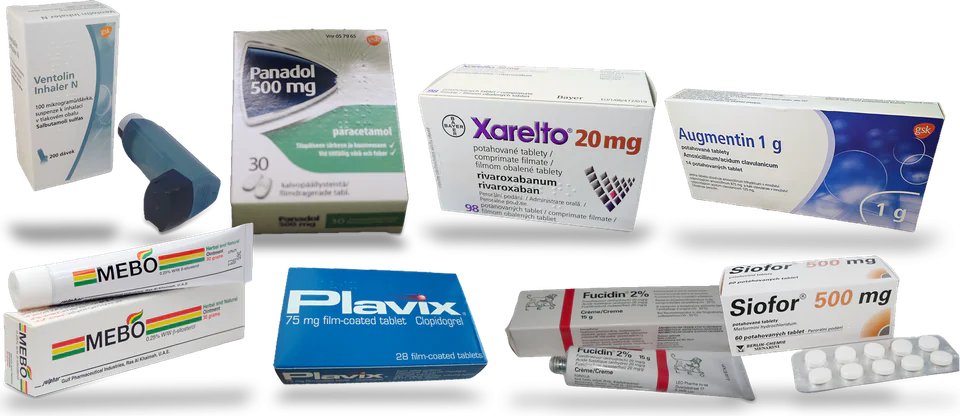
Image credits

This module is not available yet. What is described here is planned, not shipped, and there is no release date. The plan may change.

How to get started

  1. 1

    A card for every medicine

    Active ingredients with strengths, and a pack hierarchy such as box, strip and tablet. The system suggests medicines with the exact same composition for a pharmacist to review.

  2. 2

    Lots and expiry dates

    Receive stock in lots with an expiry date, put a lot in quarantine or block it, and get alerts at 90, 60 and 30 days and when a lot has expired.

  3. 3

    Price lists you review first

    Bring in a price file you supply, match its rows to your medicines, preview the differences and only then apply them. Your own price overrides stay separate, price history is kept, and shelf labels can be reprinted.

Planned scope

Daily operations

A card for every medicine

Active ingredients with strengths, and a pack hierarchy such as box, strip and tablet. The system suggests medicines with the exact same composition for a pharmacist to review.

Search in Arabic and Latin letters

Find a medicine by name in Arabic or Latin letters, even with a one-letter typo or text typed on the wrong keyboard layout. Barcodes match exactly.

Stock and warehouses

Lots and expiry dates

Receive stock in lots with an expiry date, put a lot in quarantine or block it, and get alerts at 90, 60 and 30 days and when a lot has expired.

First expiry, first out

When stock is issued, the lot that expires first is used first. An issue that the lots eligible for sale cannot cover is refused.

Money, accounts and currencies

Price lists you review first

Bring in a price file you supply, match its rows to your medicines, preview the differences and only then apply them. Your own price overrides stay separate, price history is kept, and shelf labels can be reprinted.

Not available yet: the pharmacy screens, lots, expiry alerts and price-list import are in development and have no release date. Today the core ERP runs purchasing, stock in several warehouses with units and packaging, sales and accounting, but it does not record medicines, lots or expiry dates.

What makes TexaCore different for pharmacies

Tools built for this industry, together with strengths that run across the whole platform.

  • Planned

    Lots and expiry dates

    Receive stock in lots with an expiry date, put a lot in quarantine or block it, and get alerts at 90, 60 and 30 days and when a lot has expired.

  • Planned

    First expiry, first out

    When stock is issued, the lot that expires first is used first. An issue that the lots eligible for sale cannot cover is refused.

  • Planned

    Price lists you review first

    Bring in a price file you supply, match its rows to your medicines, preview the differences and only then apply them. Your own price overrides stay separate, price history is kept, and shelf labels can be reprinted.

  • Planned

    Search in Arabic and Latin letters

    Find a medicine by name in Arabic or Latin letters, even with a one-letter typo or text typed on the wrong keyboard layout. Barcodes match exactly.

  • Arabic-first

    Right-to-left from the ground up. The app interface is complete in Arabic, English, Russian and Ukrainian; this website comes in eleven languages.

  • Multi-currency, reported your way

    Record in any currency, keep each line's original amount, and see the trial balance and statements in the currency you pick.

  • Print, share and agree balances

    Print templates with PDF and Excel export, document links by WhatsApp, Viber, Telegram or email, and statement links your customers can agree to.

  • On your computer or in the cloud

    Start a 30-day cloud trial, or install the desktop edition — it keeps working without internet and is free forever for one user and one company (within the free plan's usage limits).

Who it is for

  • Pharmacies that buy, store and sell medicines in packs and units
  • Pharmacists responsible for expiry dates and price changes
  • Owners who want pharmacy stock and accounts in one system

FAQ

What does TexaCore offer for Pharmacy management?

A TexaCore module for pharmacies is planned: a card for every medicine, expiry dates by lot and price lists you review before they are applied, on the same stock, sales and accounts as the rest of the ERP.

Who is it for?

Pharmacies that buy, store and sell medicines in packs and units; Pharmacists responsible for expiry dates and price changes; Owners who want pharmacy stock and accounts in one system

What does it include?

A card for every medicine; Search in Arabic and Latin letters; Price lists you review first; Lots and expiry dates; First expiry, first out

What are its limits?

Not available yet: the pharmacy screens, lots, expiry alerts and price-list import are in development and have no release date. Today the core ERP runs purchasing, stock in several warehouses with units and packaging, sales and accounting, but it does not record medicines, lots or expiry dates.

Is it available today?

This module is not available yet. What is described here is planned, not shipped, and there is no release date. The plan may change.

Can I work without internet?

Yes. The desktop edition works on your own computer while offline. The web edition and cloud services require an internet connection.

Is the cloud edition free forever too?

Free forever applies to the desktop edition. See the current subscription catalogue for cloud pricing, trial terms, and limits.

Want this module? Tell us.

Tell us about your business and what you would need first.

Articles & News