From first contact to sales document — one connected sales workflow
Bring leads, contacts, opportunities, tasks and quotations into a connected workspace. See who owns each opportunity, what happened with the customer and what comes next — connected to the sales cycle in TexaCore ERP.
A clear sales journey, step by step
- 1
Start with the contact
Record the lead, contact details, organization name and source, then link an opportunity and its owner.
- 2
Build the opportunity into a quote
Track the opportunity status, add products of interest to its basket and create an official quotation after reviewing the details.
- 3
Share the quote and keep the context
Prepare the message and link in Share Hub, and keep the opportunity's activity together. Some channels open an external app for you to finish sending.
- 4
Set the next action
Create a dated, assigned task, review stale opportunities and overdue work, then follow the linked documents through the sales cycle.
Sales-team capabilities, connected to your business
Visual pipeline and configurable statuses
View opportunities on a Kanban board or list, and change their status and owner. Rename status groups and add company-specific statuses; some document stages follow the sales cycle's rules.
Leads from the first expression of interest
Create a lead record with category, lifecycle stage, source and priority, then connect opportunities and activities rather than scattering the information across separate lists.
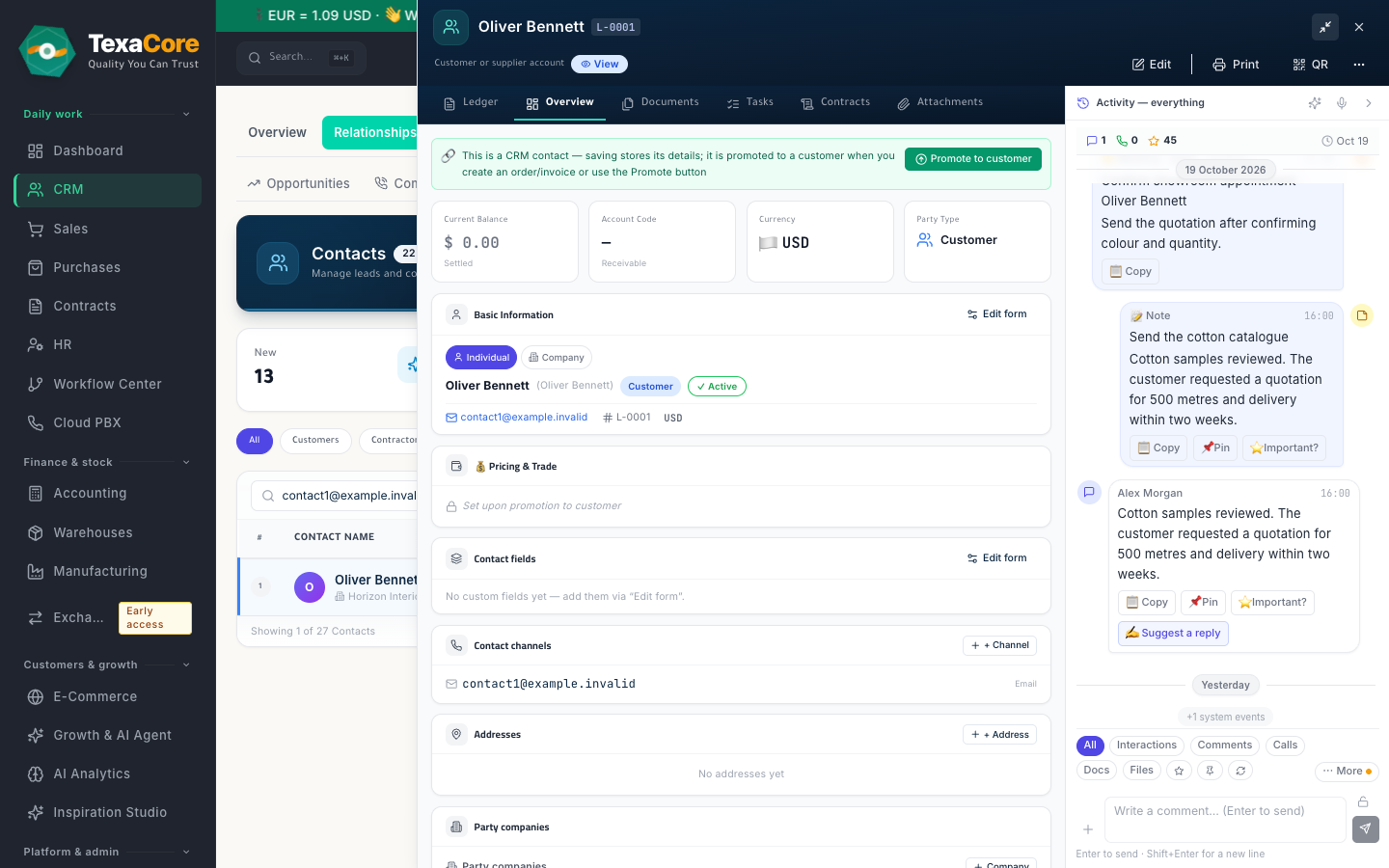
Contacts and organization details
Keep communication details and the organization name on the contact record, and link an accounting party when needed. Keep the record’s opportunities and activities connected.
An activity timeline that keeps the context
Review customer and opportunity activities and notes in a timeline. Add a comment with a follow-up date to create a linked task, so the next team member can see the history and next action.
Tasks, ownership and calendar
Assign tasks by owner and department, set priority, category and due date, and use list and calendar views to organize work, spot overdue items and review what needs follow-up.
Follow-up that helps reduce missed customers
See unread inbound updates, opportunities quiet beyond their stage threshold, overdue tasks and unassigned opportunities. Open the relevant record or create a follow-up task; your team chooses and carries out the next action.
Turn the opportunity basket into a quote
Collect the products the customer is interested in within the opportunity, then create a numbered quotation linked to it. Creating a quote requires an open opportunity and a non-empty, single-currency basket.
Connected to sales documents
Create an opportunity-linked quotation, and open order, delivery and invoice drafts from the pipeline with customer details prefilled. Review items and terms before saving, then track documents through the sales cycle.
Share Hub for the message and quote
Prepare a message and quotation link for channels such as WhatsApp, Viber, Telegram and email. Delivery depends on the channel and its setup; an external-app-open event does not prove customer delivery.
Manual audio recording linked to the contact
Start recording manually from your microphone or audio the browser lets you share, or upload an audio file linked to the contact. These tools require browser permission, recording-service setup and access rights.
A dashboard based on business data
Review posted sales for the selected period, current receivables, and opportunities with their status distribution within your company. Quote metrics depend on record links; some unlinked legacy quotations may be excluded.
Team follow-up and task analytics
Review completed, open and overdue tasks and their distribution by owner and category, using your company's task records. Use these views to balance follow-up work and review current workloads.
The follow-up board highlights items for your team to review; a due date does not imply an automatic reminder. Sharing depends on the channel and its setup, and audio recording starts with the user’s action and browser permission.
Who it is for
- Sales teams bringing leads, opportunities and quotations into one clear workflow
- Managers who need visibility into opportunity ownership and overdue follow-up
- Trading, distribution and service businesses connecting customer relationships to sales documents
- Teams sharing customer information and needing a reviewable activity and task history
Product views
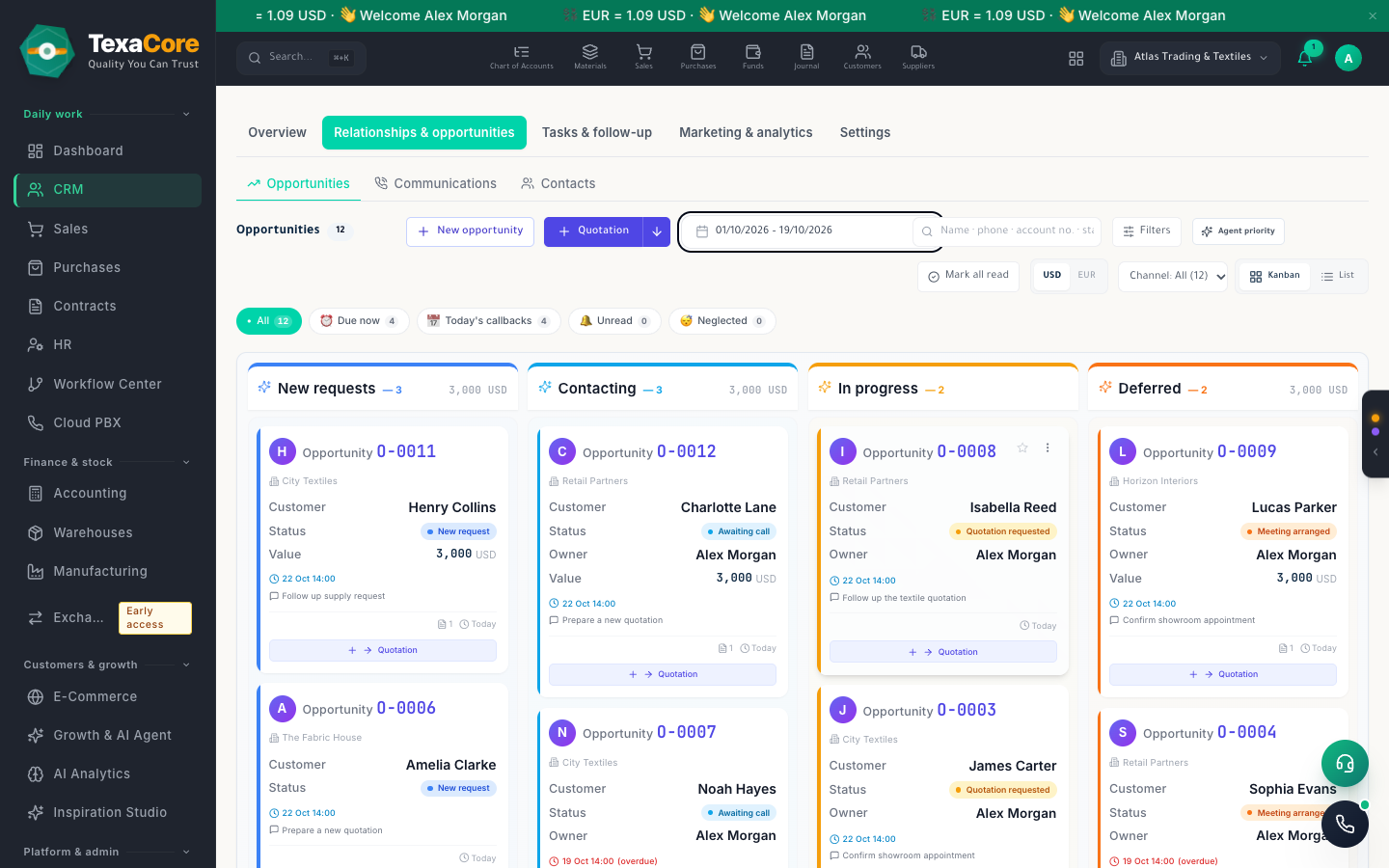
Opportunity basket, saved quotation and Share Hub
- Visual pipeline and configurable statuses
- Leads from the first expression of interest
- Contacts and organization details
Contacts, leads and the contact's organization name
- Visual pipeline and configurable statuses
- Leads from the first expression of interest
- Contacts and organization details
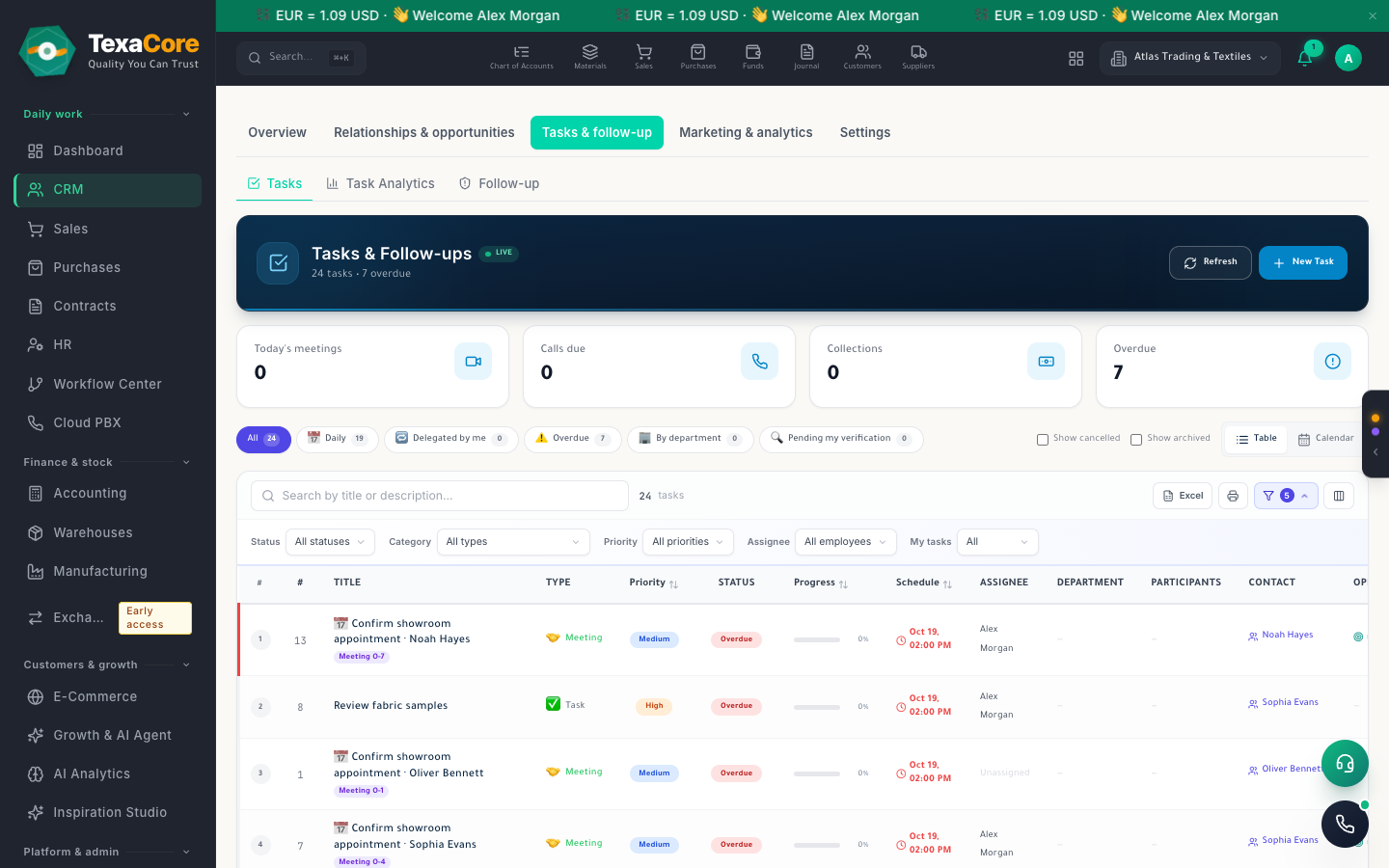
Follow-up board for quiet opportunities and overdue tasks
- Visual pipeline and configurable statuses
- Leads from the first expression of interest
- Contacts and organization details
Manual recording controls after microphone permission, or audio-file upload
- Visual pipeline and configurable statuses
- Leads from the first expression of interest
- Contacts and organization details
CRM dashboard and task analytics with fictional company data
- Visual pipeline and configurable statuses
- Leads from the first expression of interest
- Contacts and organization details
Modules that work with it on the same data
Sales & purchases
Quotations, orders and invoices on one trade sheet, and a purchase cycle through to receiving.
Explore the modulePrint & share
Templates for every document, PDF and Excel export, sharing by WhatsApp, Viber, Telegram and email, and a statement link to confirm.
Explore the moduleReports
Review accounting, sales, inventory, manufacturing, and HR reports from app data, with export options that vary by report.
Explore the moduleTry it on your own company data
A free 30-day cloud trial, or the free desktop edition. And you can move from your current system easily.
FAQ
TexaCore is a general ERP for business owners and accountants, bringing accounting, inventory, and sales together in a free-forever desktop edition that works offline. Check the current subscription catalogue for cloud pricing, trial terms, and current limits.
Can I work without internet?
Yes. The desktop edition works on your own computer while offline. The web edition and cloud services require an internet connection.
Is the cloud edition free forever too?
Free forever applies to the desktop edition. See the current subscription catalogue for cloud pricing, trial terms, and limits.