Business reports and exports
View financial and operational indicators, generate sales and manufacturing reports, and export available documents for printing or file use. Export options vary by screen.
What this module does
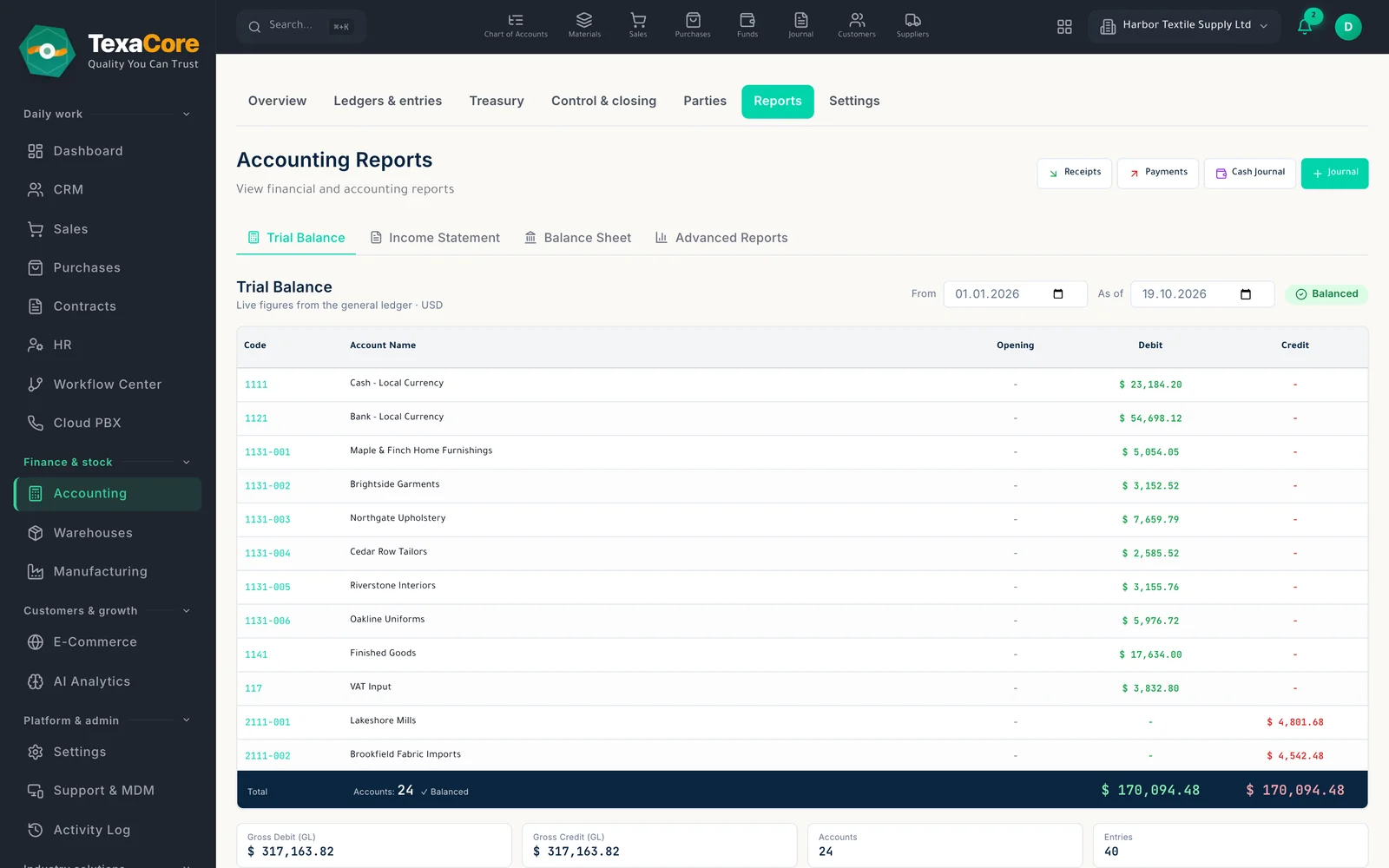
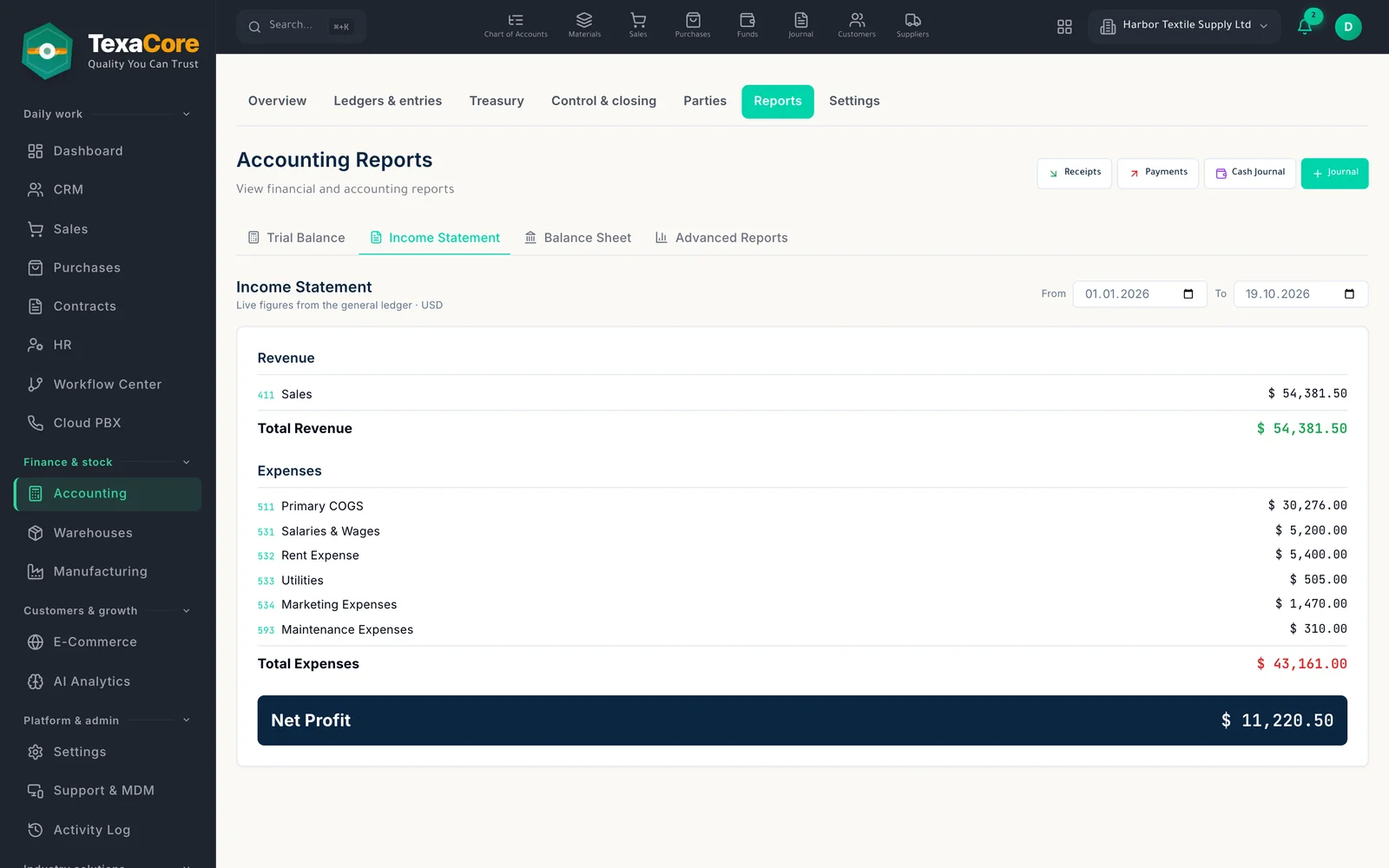
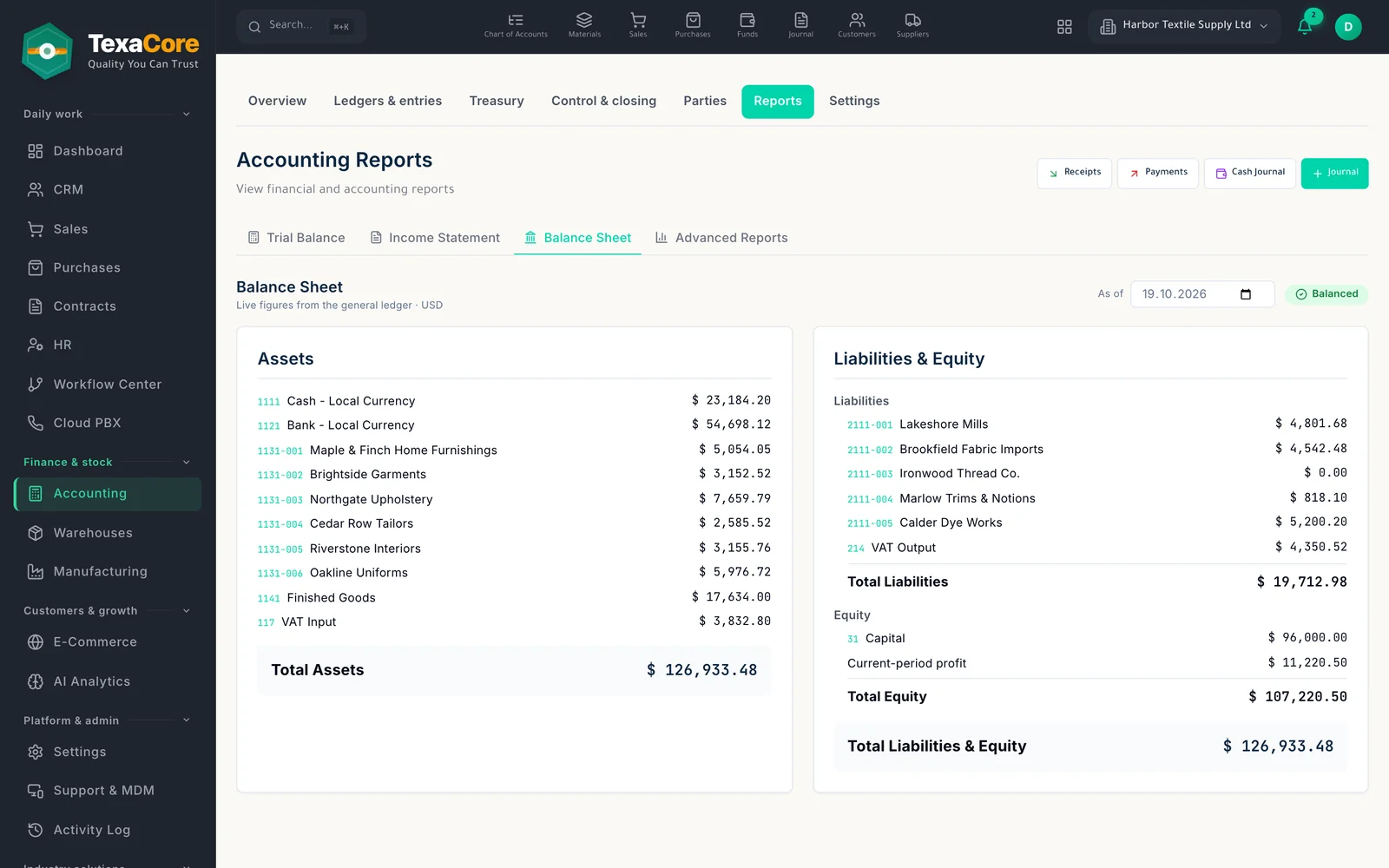
Live financial statements
View trial balance, income statement, and balance sheet with available date and currency filters. These statements are screen-only.
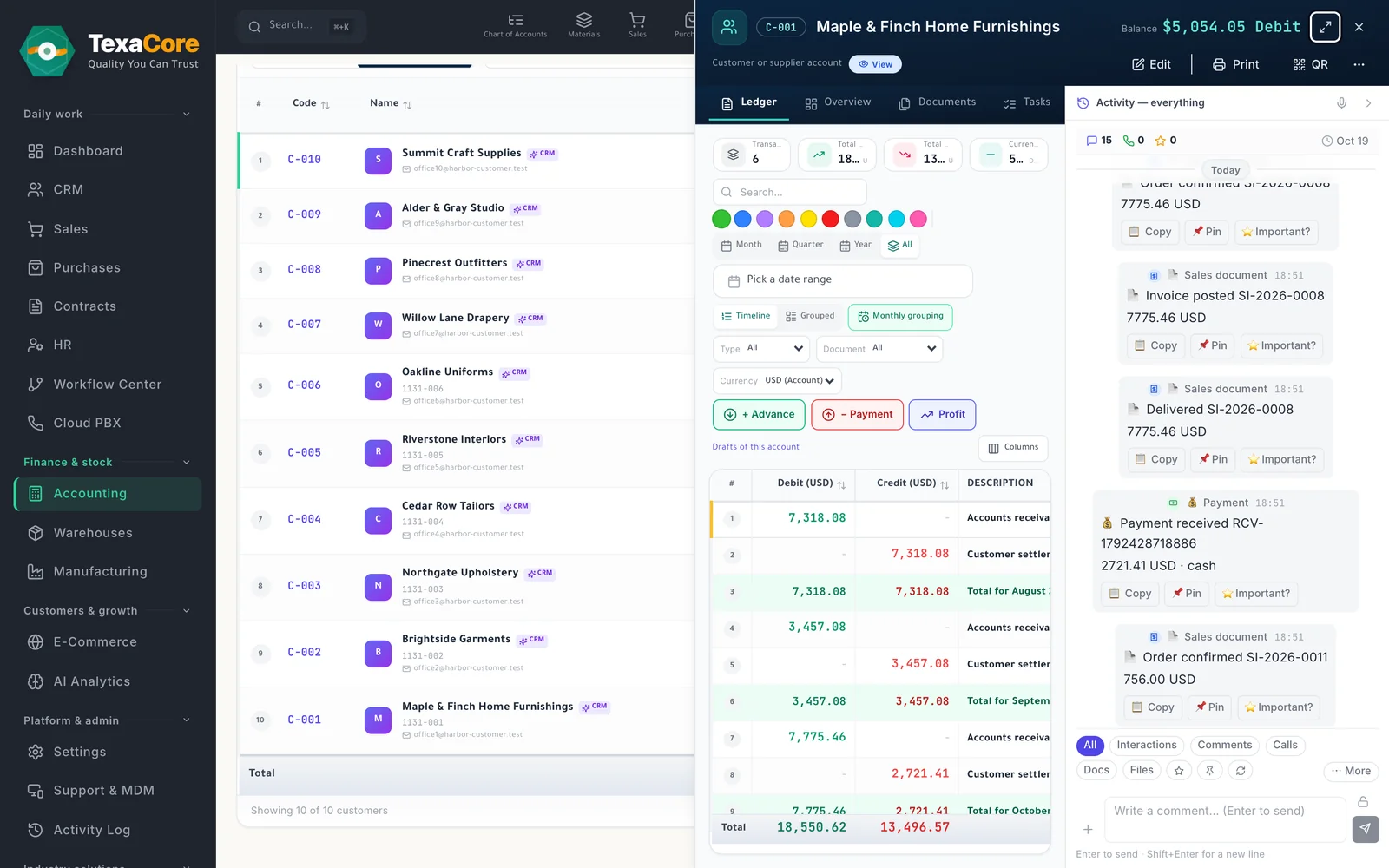
Account statements
Open an account, customer, supplier, or fund statement and use Print, PDF, Excel, or Google Sheets from the share centre.
Frozen statement links
Create a frozen public statement link with an expiry and revoke option; the recipient can confirm or dispute the balance.
Sales reports
Generate one of eight sales reports, then use the table options to download Excel, Sheets, PDF, or print.
Product and customer reports
Review sales by product, customer, or category after choosing a period and generating the report.
Cash and bank fund balances
Review cash and bank fund balances by currency and open an individual fund statement when needed.
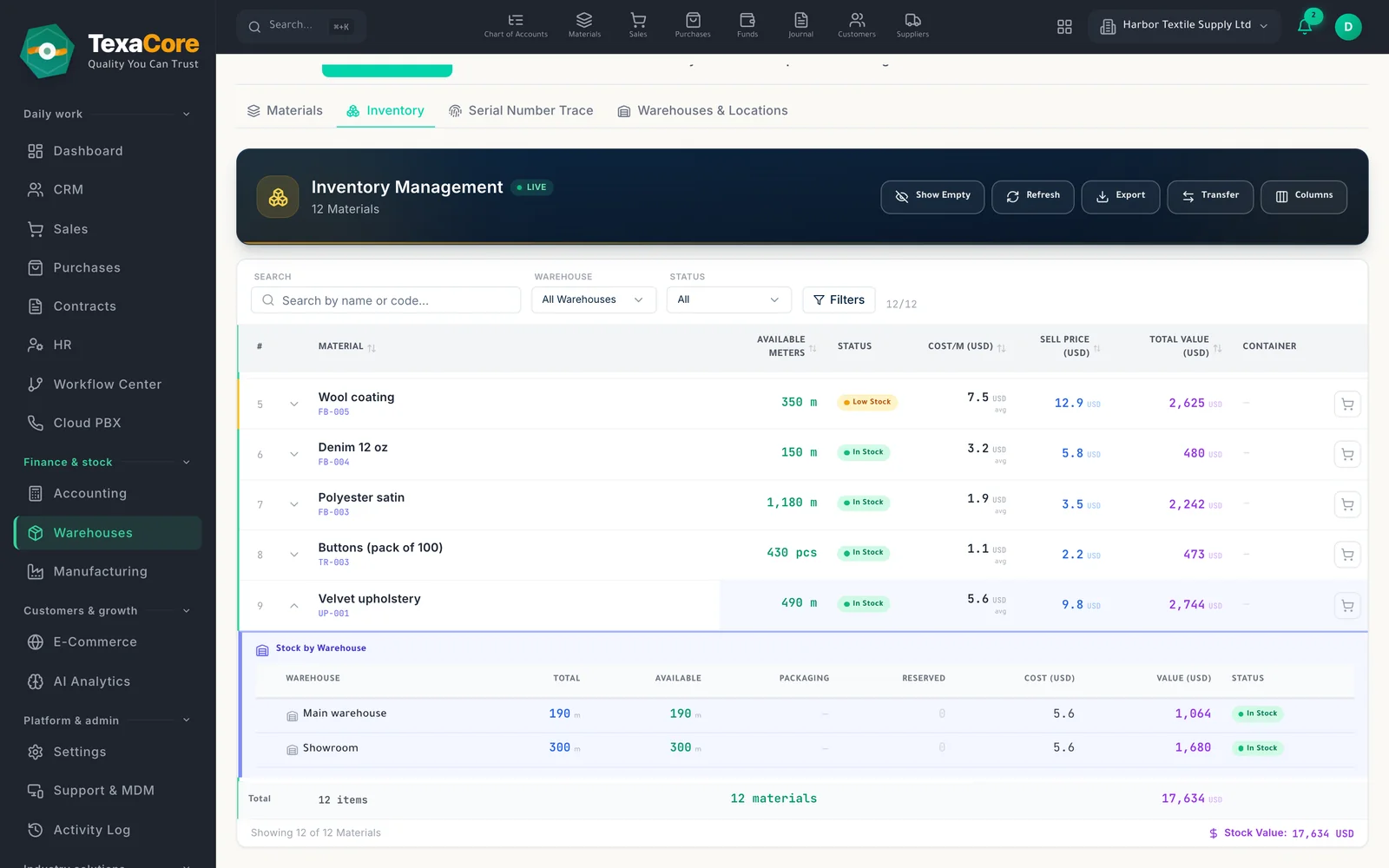
Inventory list
Filter materials by warehouse, status, and other fields, then download the visible columns as CSV.
Stock counts
Export count results as CSV and print the available stock count sheet.
Manufacturing reports
Run order cost, material consumption, scrap by stage, stage productivity, and work-in-progress balance reports.
Manufacturing report exports
The five listed reports support Excel export and printing after results are generated; cost access is permission controlled for some reports.
Payroll statements
Review payroll periods and employee payslips; open an individual payslip for printing through the document centre. Administrative actions require appropriate permissions.
HR dashboards and quality
Review employee, attendance, leave, and attention summaries, along with nonconformance records and corrective actions.
Trial balance, income statement, and balance sheet are screen-only. Some other screens support export or printing; check the options available in each report.
Who it is for
- Businesses that want financial and operational indicators in one system.
- Accounting teams that need statements for printing or sharing.
- Sales, inventory, and manufacturing teams reviewing data by period and permission.
- HR managers tracking payroll, attendance, and requests.
Product views
Generate a sales report
- Live financial statements
- Account statements
- Frozen statement links
Manufacturing costs, consumption and scrap
- Live financial statements
- Account statements
- Frozen statement links
Payroll periods and an individual payslip
- Live financial statements
- Account statements
- Frozen statement links
Modules that work with it on the same data
Multi-currency accounting
Chart of accounts, entries, vouchers and live statements in several currencies, with year-end close.
Explore the moduleSales & purchases
Quotations, orders and invoices on one trade sheet, and a purchase cycle through to receiving.
Explore the moduleInventory & warehouses
Warehouses with shelf locations, packaging units, receipts, deliveries, transfers and counts.
Explore the moduleTry it on your own company data
A free 30-day cloud trial, or the free desktop edition. And you can move from your current system easily.
FAQ
TexaCore is a general ERP for business owners and accountants, bringing accounting, inventory, and sales together in a free-forever desktop edition that works offline. Check the current subscription catalogue for cloud pricing, trial terms, and current limits.
Can I work without internet?
Yes. The desktop edition works on your own computer while offline. The web edition and cloud services require an internet connection.
Is the cloud edition free forever too?
Free forever applies to the desktop edition. See the current subscription catalogue for cloud pricing, trial terms, and limits.