Multi-currency accounting with guarded entries
A double-entry ledger: chart of accounts, entries, vouchers, statements in any currency, live financial statements and year-end close, with posting, reversal and closing rules enforced by the server.
What this module does
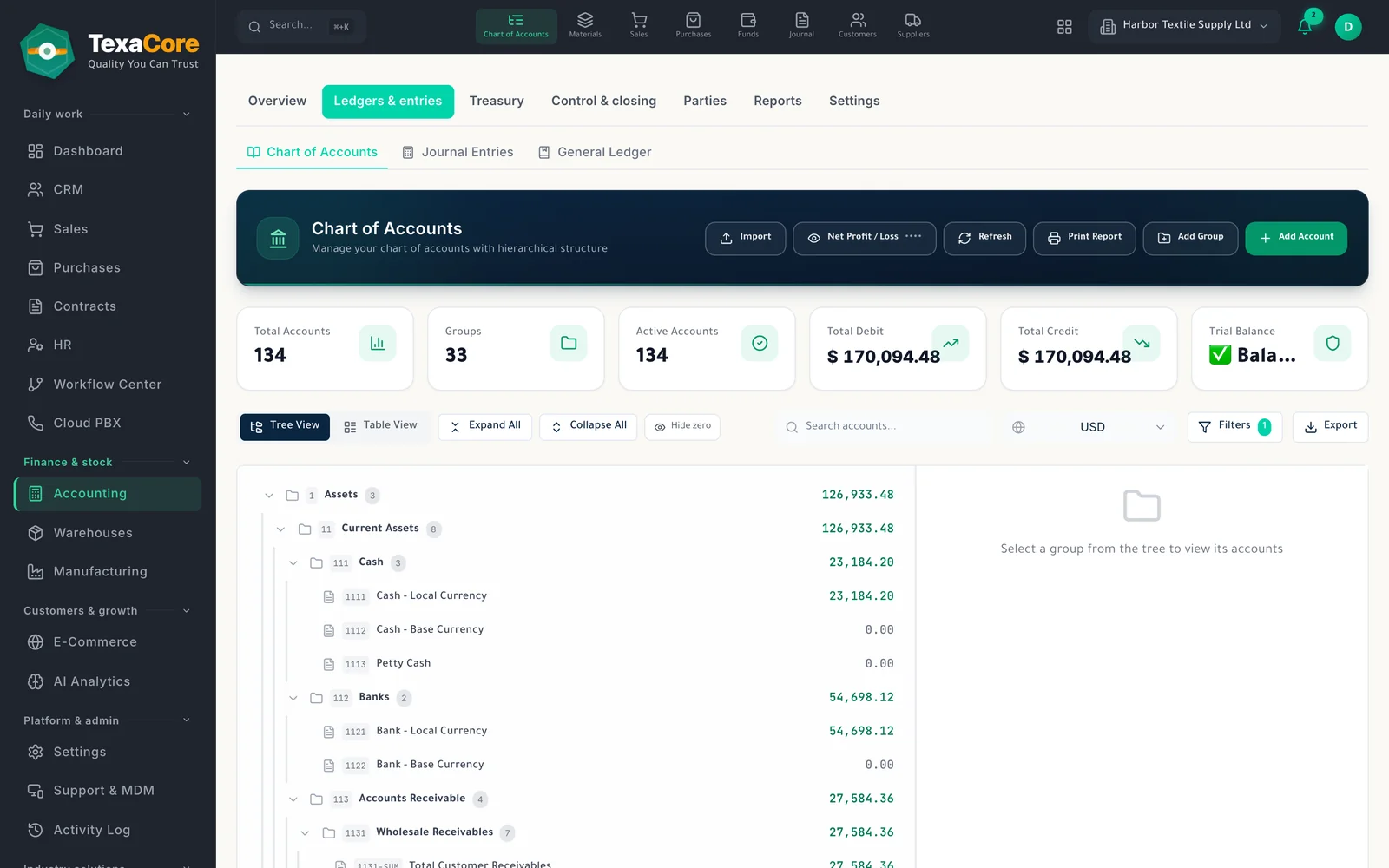
Chart of accounts tree
Browse accounts as a tree or table with codes and balances; start from a standard or extended template, or import your own chart.
Journal entries: post and reverse
Save drafts, post entries, and reverse a posted entry with a reason, with a cost centre and currency per line and a warning about likely duplicates.
Vouchers, cash boxes and banks
Issue receipt vouchers, payment vouchers and cash journals; cash boxes and bank accounts show balances in any company currency, with a statement per account.
Ledger and statements by currency
Open any account's statement in its own currency, the company currency or another one, priced at each transaction's rate or at today's rate.
Live financial statements
The trial balance, income statement and balance sheet read posted entries live, with opening balances, a date range and an optional second presentation currency.
Currencies and exchange rates
Set a base currency (locked once entries exist) and keep buy, sell and mid rates. A foreign-currency line cannot be saved without an exchange rate.
Year-end close and reopen
Closing a fiscal year zeroes income and expenses into retained earnings and blocks posting into it; reopening needs a separate permission.
Recurring entries
Schedule entries from daily to yearly with optional approval and auto-posting; a daily server job creates what is due, or run one now.
There is not yet bank reconciliation, budget creation from the screen or closing of a single month. The live financial statements are viewed on screen, without export.
Who it is for
- Small and mid-size companies that keep books in one base currency but trade in others
- Accountants who want drafts, posting, reversals and year-end close enforced by the server
- Owners who send customers a statement and want the reply recorded
Balance sheet in a second presentation currency with the translation row
- Chart of accounts tree
- Journal entries: post and reverse
- Vouchers, cash boxes and banks
Modules that work with it on the same data
Sales & purchases
Quotations, orders and invoices on one trade sheet, and a purchase cycle through to receiving.
Explore the modulePrint & share
Templates for every document, PDF and Excel export, sharing by WhatsApp, Viber, Telegram and email, and a statement link to confirm.
Explore the moduleInventory & warehouses
Warehouses with shelf locations, packaging units, receipts, deliveries, transfers and counts.
Explore the moduleTry it on your own company data
A free 30-day cloud trial, or the free desktop edition. And you can move from your current system easily.
FAQ
TexaCore is a general ERP for business owners and accountants, bringing accounting, inventory, and sales together in a free-forever desktop edition that works offline. Check the current subscription catalogue for cloud pricing, trial terms, and current limits.
Can I work without internet?
Yes. The desktop edition works on your own computer while offline. The web edition and cloud services require an internet connection.
Is the cloud edition free forever too?
Free forever applies to the desktop edition. See the current subscription catalogue for cloud pricing, trial terms, and limits.
Accounting guides
- What is double-entry bookkeeping? Debits and credits with a simple example
- The trial balance: how to read it and what a balanced result does not prove
- Income statement vs balance sheet: performance over a period, position on a date
- Why a company’s profit is not its cash balance
- Customer statement of account: how to follow invoices, payments and the balance
- How stock movements affect cost of goods sold