Inventory and warehouses with shelf locations, packaging and counts
Multiple warehouses with their locations, item cards with packaging levels and minimum and maximum levels, receipts, deliveries, transfers, counts and write-offs with approval, and tracing of serial numbers and rolls.
What this module does
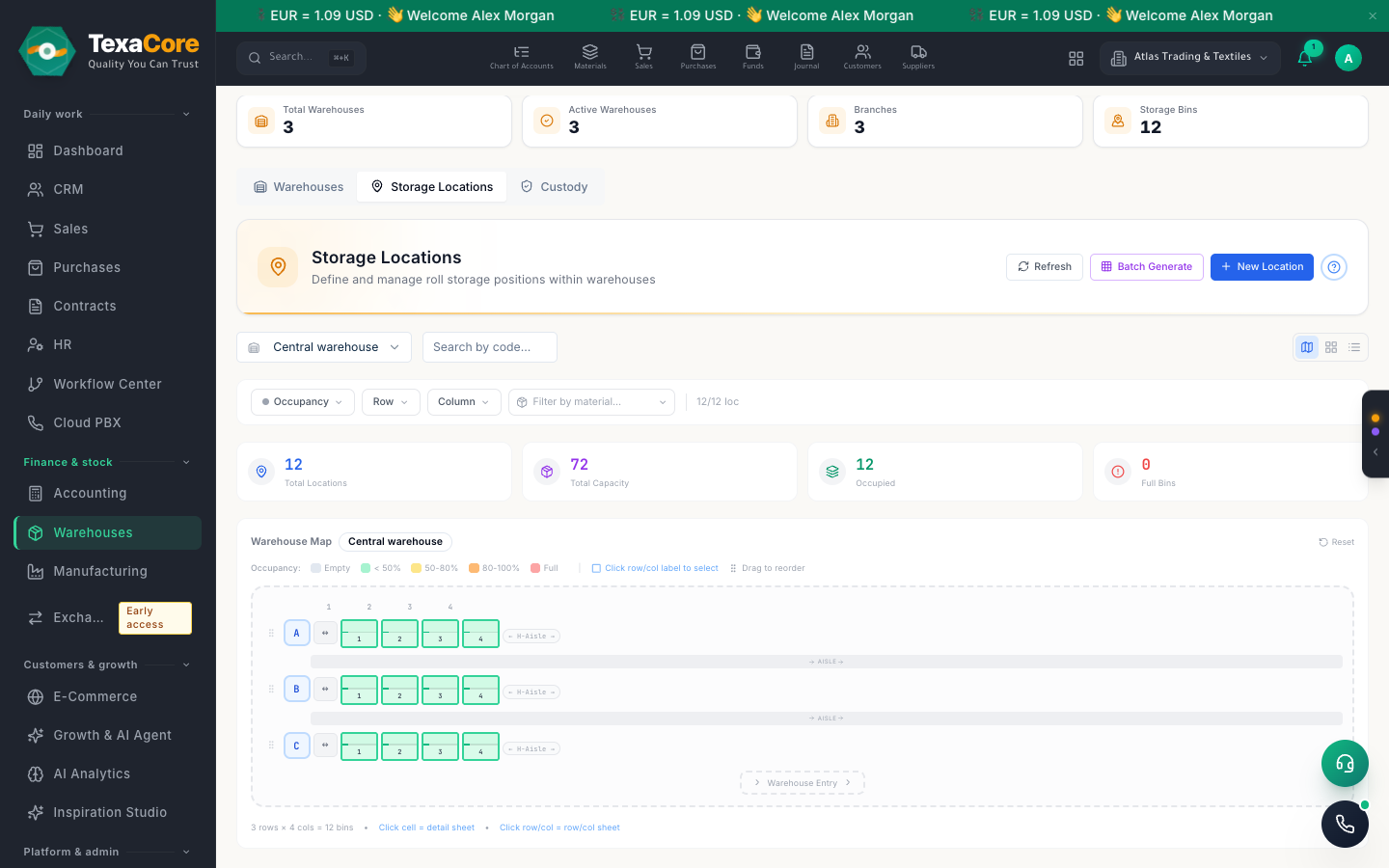
Warehouses and shelf locations
Define warehouses by type (main, branch, store, van and more) and split them into row, column and shelf bins, with an occupancy map.
Item cards with packaging levels
Each item carries its base unit, packaging levels such as carton or pallet with their own barcodes, and minimum and maximum stock levels.
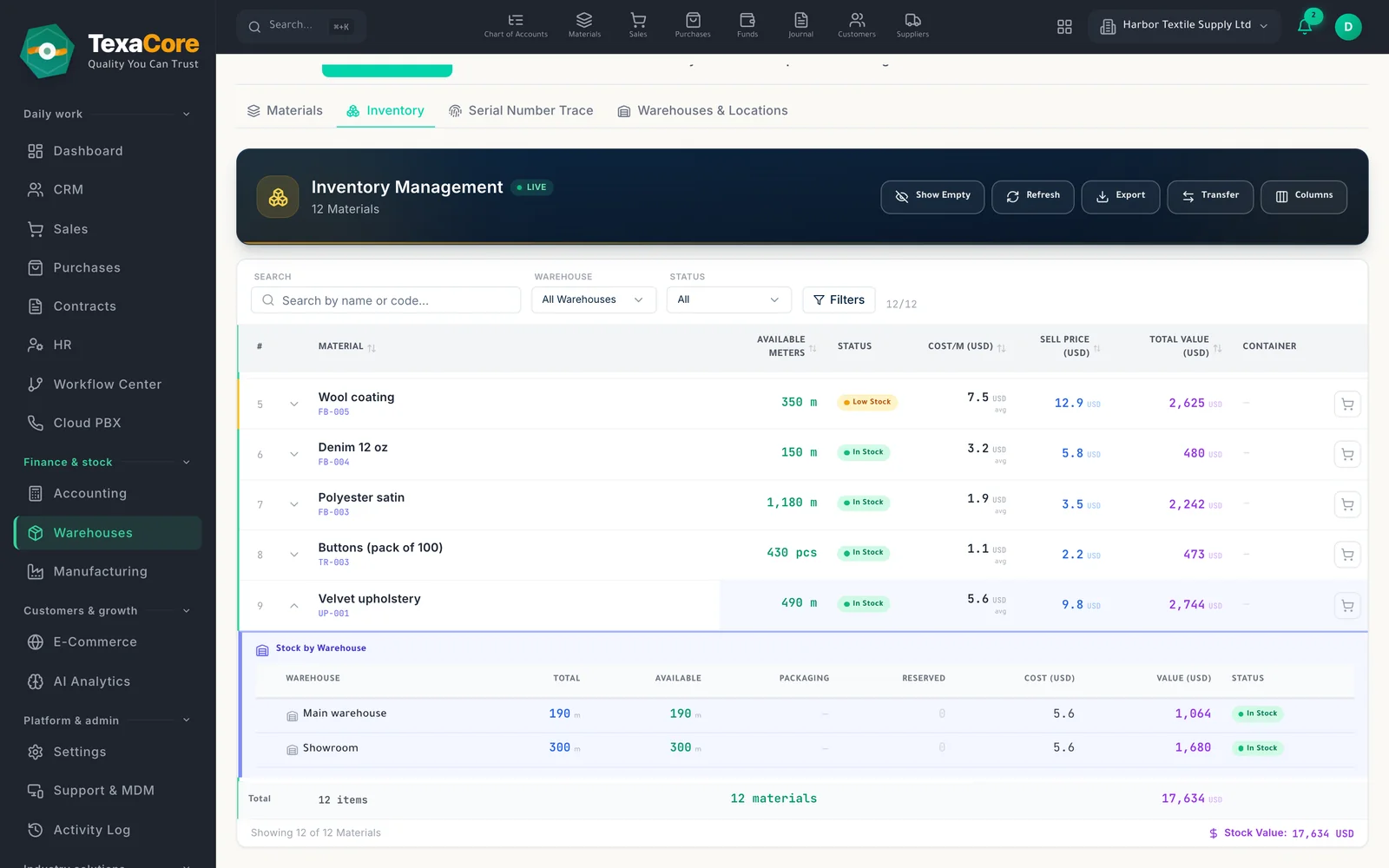
Stock levels and low-stock flag
The inventory list shows stock per material and warehouse, expands to details, and flags items at or below their minimum level.
Goods receipts and deliveries
Receive goods against a purchase invoice, container, transfer or return, and deliver sales documents; each runs as one server transaction.
Transfers between warehouses
Create a transfer, confirm it, load and ship it, and receive it at the other warehouse; the server numbers it ST-year-sequence at first save. Shipping currently handles fabric rolls.
Stock counts with variances
Plan a count by warehouse, review the variances, and finalize it in one server step that posts the adjustments.
Damage write-offs with approval
A write-off needs a reason and at least one photo, goes through approval, posts to the ledger, and can be reversed.
Serial numbers and rolls
Capture serials at receipt, then trace any serial, chassis, engine or plate number to its purchase, sale and warranty. Roll-tracked fabric keeps the length of each roll.
The minimum and maximum levels are stored and drive the low-stock flag; they do not create purchase requests automatically yet.
Who it is for
- Businesses with several warehouses, branches or vans and shelf-level locations
- Distributors who stock by carton and pallet and watch minimum levels
- Sellers of serial-numbered goods and roll-tracked fabric
Modules that work with it on the same data
Sales & purchases
Quotations, orders and invoices on one trade sheet, and a purchase cycle through to receiving.
Explore the moduleManufacturing
Recipes, stages, production orders and quality control, from batch mixing to issuing fabric by length.
Explore the moduleMulti-currency accounting
Chart of accounts, entries, vouchers and live statements in several currencies, with year-end close.
Explore the moduleTry it on your own company data
A free 30-day cloud trial, or the free desktop edition. And you can move from your current system easily.
FAQ
TexaCore is a general ERP for business owners and accountants, bringing accounting, inventory, and sales together in a free-forever desktop edition that works offline. Check the current subscription catalogue for cloud pricing, trial terms, and current limits.
Can I work without internet?
Yes. The desktop edition works on your own computer while offline. The web edition and cloud services require an internet connection.
Is the cloud edition free forever too?
Free forever applies to the desktop edition. See the current subscription catalogue for cloud pricing, trial terms, and limits.