Manage your work from your phone
Open TexaCore in your phone browser to reach the dashboard. Follow selected requests through Telegram when the company bot is configured and your account is linked.
How to get started
- 1
Open TexaCore in your browser
Sign in from your phone to reach the dashboard.
- 2
Link your account to the company bot
Use the link code generated by your account administrator. Telegram use requires a configured bot and a linked user.
- 3
Follow permitted requests
Bot actions appear according to user permissions. Financial drafts are not posted directly from Telegram.
What this module does
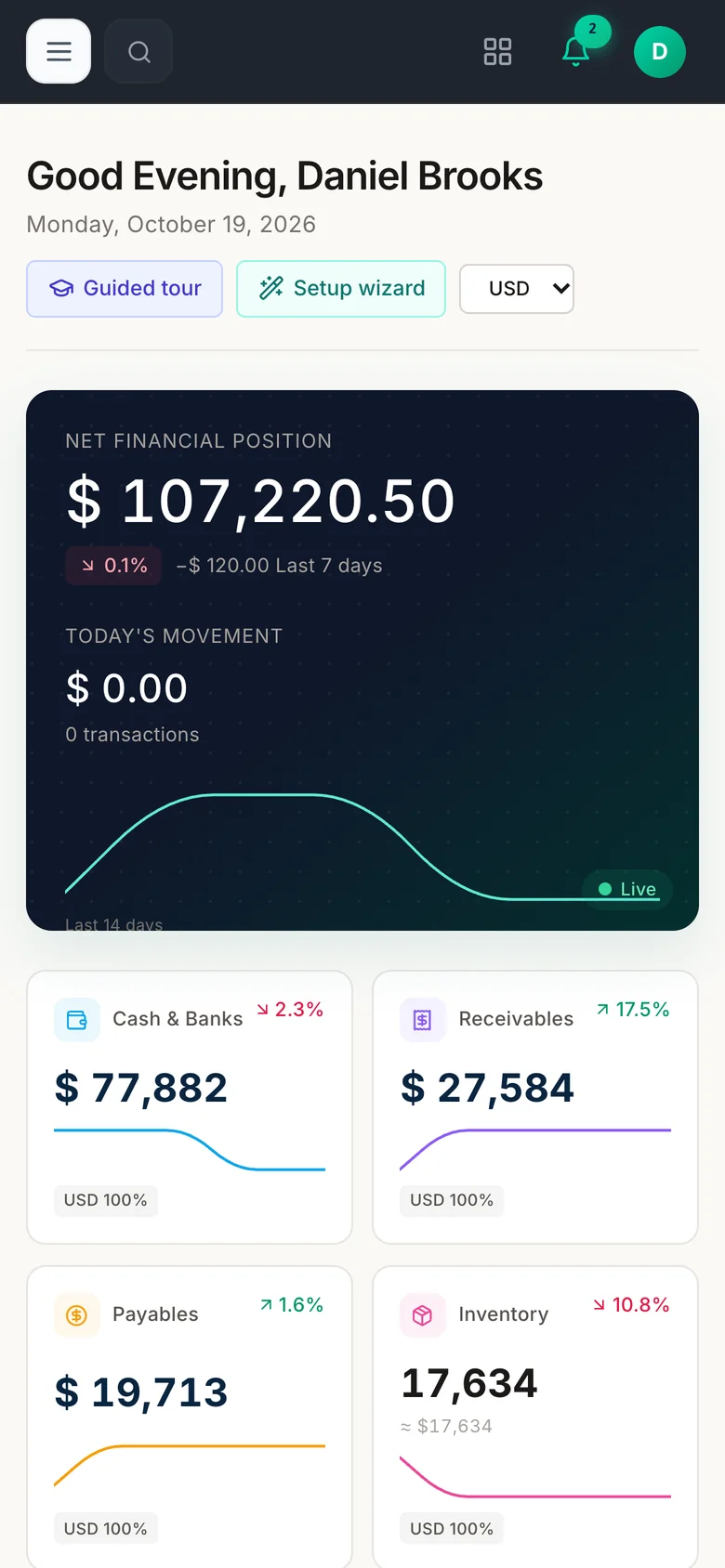
Dashboard in your browser
The sign-in page and dashboard adapt to narrow screens.
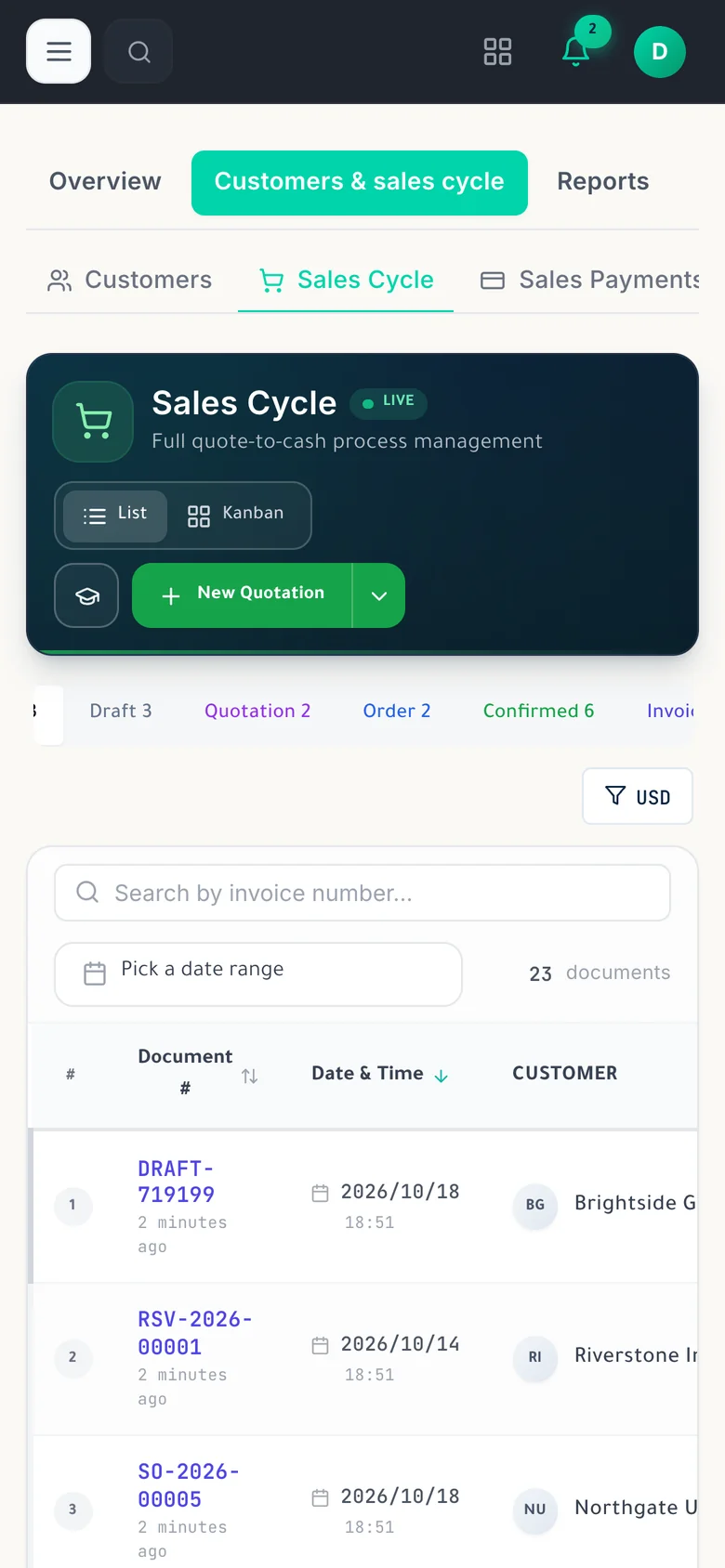
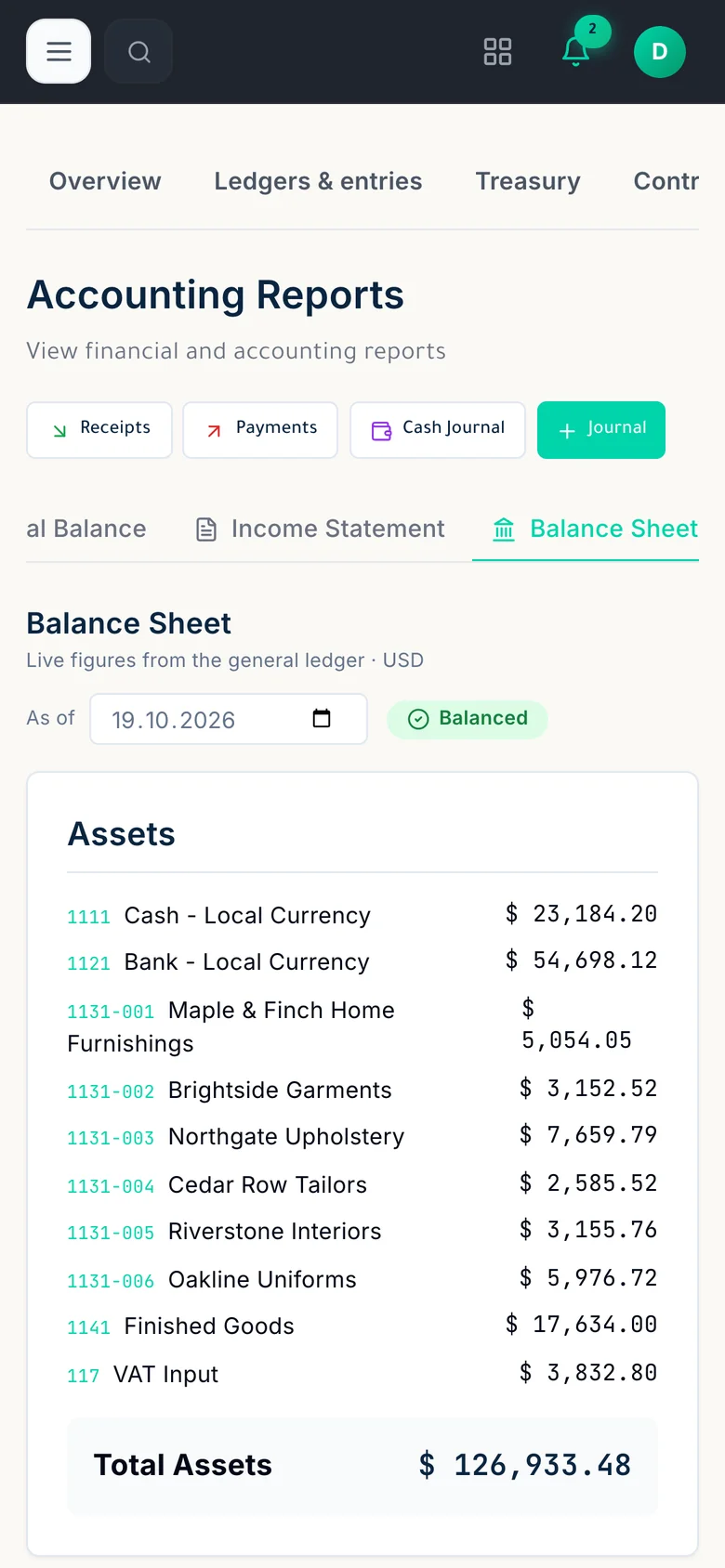
Web lists and reports
Lists and reports open in the browser. Wide tables may require horizontal scrolling.
Requests through Telegram
After the company bot is configured and the account is linked, an authorized manager can approve or reject leave requests through Telegram.
In-app notifications
Notifications appear inside the web app while it is in use. They do not rely on phone operating-system push notifications.
An internet connection is required to use the web app. Some tables are wide and may need horizontal scrolling; the sales document editor is not designed for phone use.
NexaLive mobile app
In development — coming soon on Google Play and the App Store
The NexaLive mobile app is in development.
Console sections follow the user profile
Console mode displays sections supplied by the user profile.
View and share an account statement
Console mode shows an account ledger for a selected date range, and its statement text can be shared.
Driver location updates during delivery
With console mode open, the app sends periodic location updates for active deliveries, plus updates when delivery starts or completes. Location permission is required.
Who it is for
- For staff and managers who need to follow selected information and requests while away.
Product views
Telegram approval request — capture pending
- Dashboard in your browser
- Web lists and reports
- Requests through Telegram
Modules that work with it on the same data
Telegram bot
Receive work alerts and prepare drafts in Telegram, then review and confirm financial documents in the app.
Explore the moduleReports
Review accounting, sales, inventory, manufacturing, and HR reports from app data, with export options that vary by report.
Explore the moduleAI assistant
Ask about company data using the available assistant tools, according to your permissions.
Explore the moduleTry it on your own company data
A free 30-day cloud trial, or the free desktop edition. And you can move from your current system easily.
FAQ
TexaCore is a general ERP for business owners and accountants, bringing accounting, inventory, and sales together in a free-forever desktop edition that works offline. Check the current subscription catalogue for cloud pricing, trial terms, and current limits.
Can I work without internet?
Yes. The desktop edition works on your own computer while offline. The web edition and cloud services require an internet connection.
Is the cloud edition free forever too?
Free forever applies to the desktop edition. See the current subscription catalogue for cloud pricing, trial terms, and limits.